TikTok to MP3: convert a TikTok video to audio, free.
Paste the link of a TikTok video and get its sound as MP3, the whole track or only the part you want. Free, no sign-up, no app, on phone and computer.
- 100% freeNo sign-up, no subscription, no paid option.
- Nothing to installIn your browser, on phone and computer.
- MP4 and MP3H.264 video that plays anywhere, or just the audio.
- Clips and ZIPKeep the best moments, all in one ZIP.
- TikTok livesRecorded while they stream, up to 2 h.
- PrivacyFiles deleted at most 10 minutes after processing.
How does the TikTok to MP3 converter work?
It starts from the link of a public TikTok video: the video is fetched on the server, then its audio track is encoded as MP3. You keep the full sound, or only one or more parts, each one becoming an audio file.
Handy to keep a song, a dialogue or a line for your personal use, with no conversion software. The MP3 plays on every phone, computer and audio player.
Specifications
| Format | MP3, variable bitrate (about 190 kbps) |
|---|---|
| Source | the audio track of the TikTok video |
| Parts | full sound or clips, one file per clip or a ZIP |
| Accepted links | tiktok.com, or short links vm.tiktok.com and vt.tiktok.com |
| Retention | deleted as soon as the download ends, at the latest 10 minutes after processing |
How it works
Paste the video link
A tiktok.com link, or a vm.tiktok.com or vt.tiktok.com short link.
Choose the full sound or one part
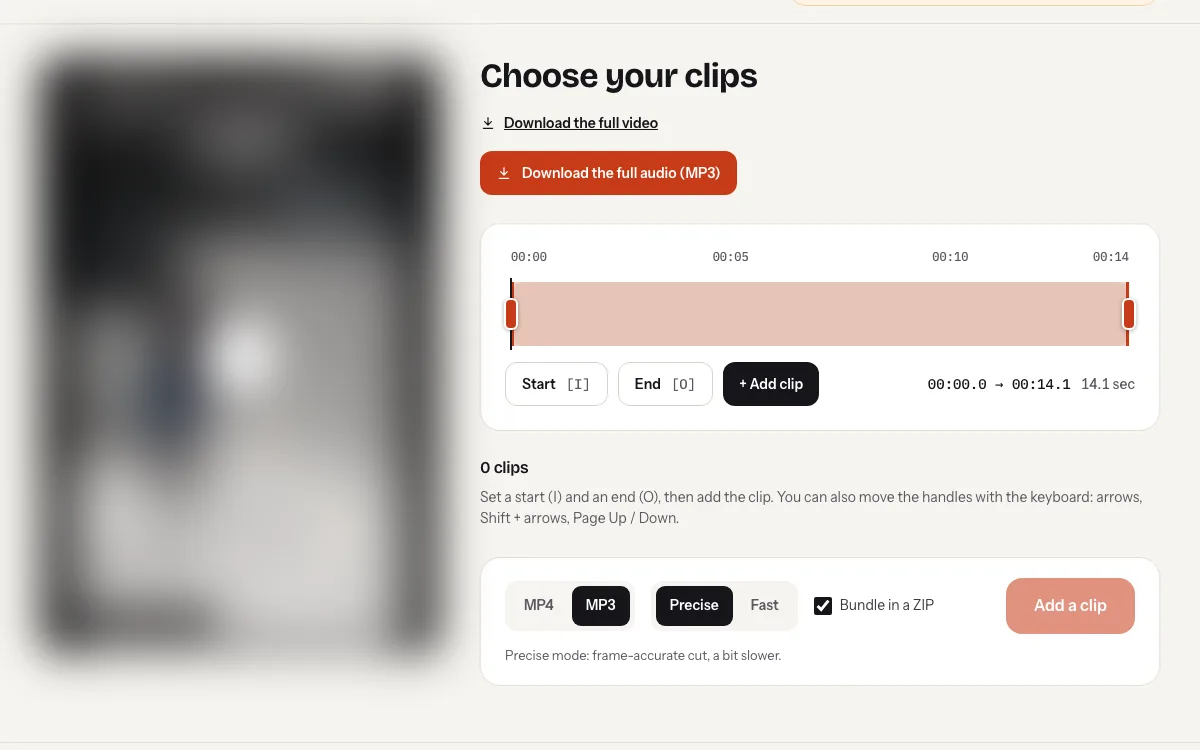
The full sound downloads in one click; for one part, set a start and an end on the timeline.
Download the MP3
One MP3 file per clip, or all clips in a ZIP.
Why ssstiktok.live
What this page does for you, for free.
The sound alone, without the video
A light MP3 file that plays on every phone, computer and audio player.
Only the part you want
Keep a chorus, a line or a loop: set a start and an end, then export.
Nothing stays on the server
The file is deleted as soon as the download ends, and at the latest 10 minutes after processing.
Step-by-step guides
Our detailed guides, with the settings for each device and answers to common problems.
How to Extract the Audio From a TikTok Video (MP3 Guide)
Want the sound, not the video? Here's how to turn a TikTok into an MP3 on ssstiktok.live, keep the whole track or just the…
Trim TikTok Video Clips Online and Keep Only the Best Parts
Skip the intro, keep the moment that matters. Here's how to trim a TikTok video in your browser with ssstiktok.live and download clean MP4…
Is It Legal to Download TikTok Videos? What You Can and Can’t Do
Saving a TikTok for yourself and reposting it are two very different things. Here's a plain-English look at personal use, permission, fair use and…
Frequently asked questions
How do I convert a TikTok video to MP3?
Copy the video link in TikTok (Share > Copy link), paste it above and click “Convert to MP3”. The video opens in the editor: choose “Download the full audio (MP3)”, or export just one part.
What is the quality of the MP3?
The sound is encoded as high-quality variable bitrate MP3 (about 190 kbps) from the video's audio track. It cannot be better than the sound published on TikTok.
Can I keep only part of the sound?
Yes. Set a start and an end on the timeline for each part, then export as MP3: each clip becomes an audio file, or they all go into a ZIP.
Can I get a song from a TikTok sound page?
Paste the link of a video that uses that sound instead: ssstiktok.live extracts the audio from the video. Sound pages (tiktok.com/music/…) are not supported.
Where is the MP3 saved on iPhone and Android?
On iPhone, Safari saves it to the Files app (Downloads folder). On Android, it goes to the Downloads folder and shows up in music apps that read that folder.
Can I reuse the sound of a video I did not create?
For personal use only. The music and voices belong to their creators: do not republish the sound without their permission.
Is ssstiktok.live really free?
Yes: there is no subscription, no paid option and no sign-up. To prevent abuse, use is limited to 20 operations per day.
Do I need to install an app?
No. ssstiktok.live works in the browser of your phone, tablet or computer (Chrome, Safari, Firefox, Edge…).
How long do my files stay on the server?
They are deleted as soon as the download finishes, and at the latest 10 minutes after processing ends. Nothing is kept beyond that.
Can I see private accounts?
No. Only public content is supported, and you must have the right to download it: personal use, or the creator’s consent.
Your next TikTok video is one link away.
Free, no sign-up. To prevent abuse, use is limited to 20 operations per day.